VLC Media Player

VLC Media Player

v3.0.21 100% Clean & Verified
By VideoLAN Organization • ★ 4.4 (14 reviews) • ✓ 86% Positive

Free, open source cross-platform multimedia player and framework that plays most multimedia files.

Detailed Overview

VLC is a free and open-source cross-platform multimedia player and framework that plays most audio and video files as well as DVDs, Audio CDs, VCDs, and streaming protocols. It features high-performance hardware decoding, comprehensive subtitle synchronization, and zero bundled adware.

Thanks to its extensive built-in codec library, users rarely encounter unplayable media formats or missing filter errors. Its lightweight resource usage, customizable audio equalizer, and cross-platform reliability make it an indispensable desktop utility for multimedia playback.

Key Advantages
  • Verified official developer direct release channel
  • Clean installation footprint with 0 bundled adware, toolbars, or third-party installers
  • Open-source software (Open-Source (Free)) with transparent codebase and free community access
  • Strong community satisfaction (86% positive sentiment based on 14 verified reviews)
  • Standard clean architecture & lightweight system impact
Considerations
  • Requires compatible OS runtime environment (Windows, macOS, Linux, Android, iOS)
  • Feature updates and patch frequencies depend on vendor release schedule

🖼️ VLC Media Player Screenshots & Previews

Interactive slide previews. Click any image to browse full-resolution previews.

5 Previews
VLC Media Player - Main Playback Interface
Enlarge
VLC Media Player - Main Playback Interface
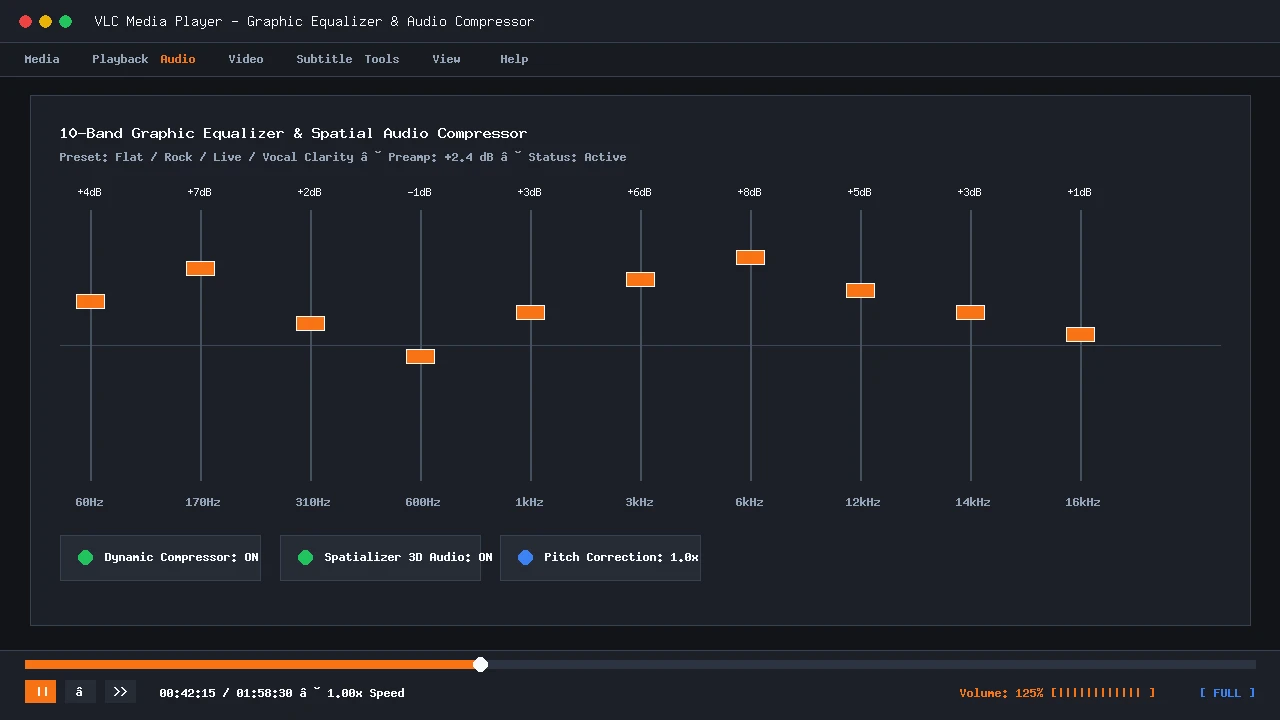
VLC Media Player - 10-Band Audio Equalizer & Spatial Compressor
Enlarge
VLC Media Player - 10-Band Audio Equalizer & Spatial Compressor
VLC Media Player - Real-Time Color Grading & Video Effects
Enlarge
VLC Media Player - Real-Time Color Grading & Video Effects
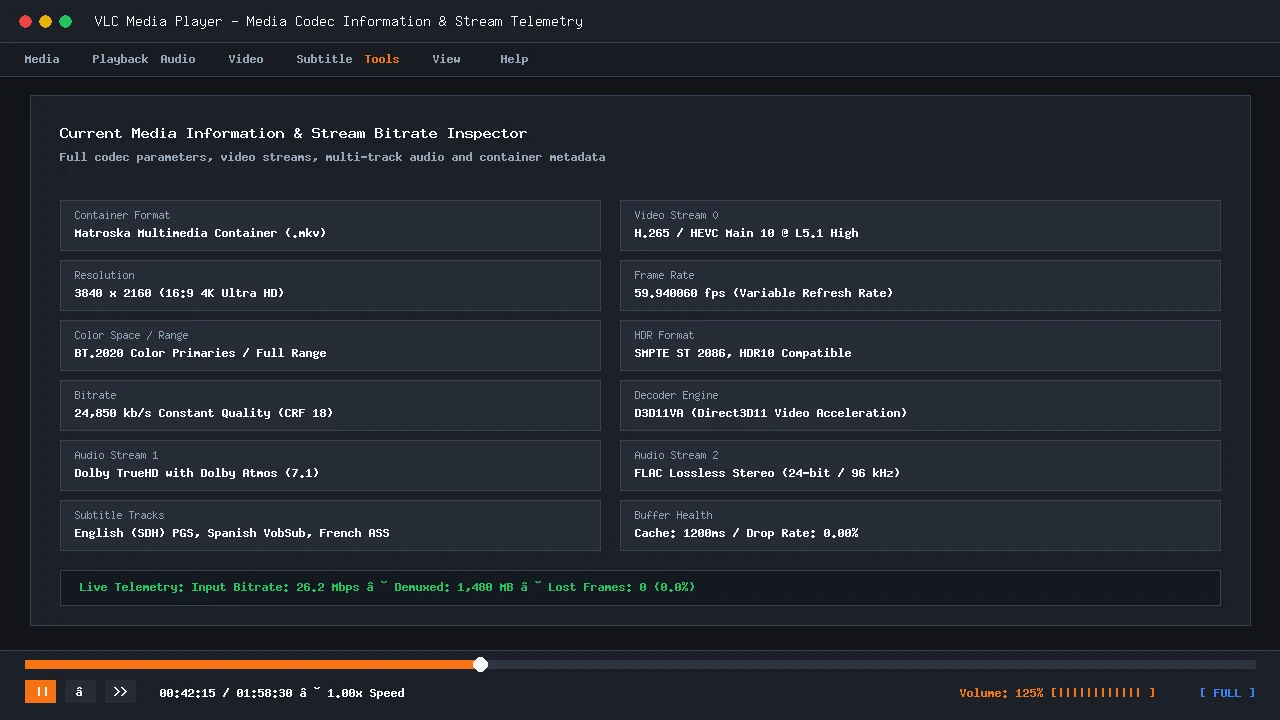
VLC Media Player - Codec Details & Stream Bitrate Telemetry
Enlarge
VLC Media Player - Codec Details & Stream Bitrate Telemetry
VLC Media Player - Playlist Queue & Network Streams Explorer
Enlarge
VLC Media Player - Playlist Queue & Network Streams Explorer

Official Download Mirrors

Release v3.0.21

Softzia provides direct routing to verified release channels for VLC Media Player with zero third-party intermediaries:

Version v3.0.21
Release Date Sep 24, 2026
Added on Softzia Sep 27, 2026
Package Size 40.8 MB
Architecture 64-bit / 32-bit
Mirror 1 Vendor Official Direct CDN
Release v3.0.21 • 40.8 MB • 64-bit / 32-bit • Region: Global • Direct Author Distribution
Mirror 2 Trusted Third-Party Direct Release
Release v3.0.21 • 40.8 MB • 64-bit / 32-bit • Region: Global • Direct Author Distribution
Mirror 3 Official Vendor Download Page
Release v3.0.21 • 40.8 MB • 64-bit / 32-bit • Region: Global • Direct Author Distribution
Notice an outdated version or dead download?

Version History & Release Notes

Chronological record of verified releases, update logs, and older build downloads.

v3.0.21 Latest Release
Released: 2026-09-24 • 40.8 MB

Community Reviews & Ratings

Authentic feedback from verified users and community testers.

★ Write a Review
4.4
★★★★☆
Based on 14 verified ratings
5 Stars
8
4 Stars
4
3 Stars
1
2 Stars
1
1 Stars
0

Share Your Experience

Help other users by sharing your thoughts on installation, performance, and features.

★ ★ ★ ★ ★
5 - Excellent
🛡️ Anti-Spam Verification: A 6-digit confirmation code will be sent to your email to verify this review. Unverified reviews are discarded.

Verified User Reviews (14)

C
Carlos Gomez ✉ Verified Review
Posted Oct 2, 2026
★★☆☆☆
Occasional green screen glitch on HEVC files
Had an issue where 10-bit HDR video showed green artifacts until I disabled hardware decoding manually. Good once tweaked, but took troubleshooting.
A
Ananya Sharma ✉ Verified Review
Posted Sep 29, 2026
★★★★★
Flawless playback even on low-spec hardware
Runs smoothly on my older 4GB RAM laptop without maxing out CPU cores. Hardware acceleration settings are simple to configure.
J
Jordan Reed ✉ Verified Review
Posted Sep 29, 2026
★★★★★
Always the first application installed on a fresh PC
Whenever I set up a new Windows or Mac workstation, VLC is one of the top five essentials. Safe, fast, and completely free of tracking.
T
Tomasz Kowalski ✉ Verified Review
Posted Oct 2, 2026
★★★★☆
Versatile command-line conversion tools too
Not just a player; I frequently use its background command-line transcoder to convert high-bitrate video clips into mobile-friendly MP4s.
P
Priya Patel ✉ Verified Review
Posted Oct 6, 2026
★★★★★
Reliable subtitle auto-downloading with VLSub
The built-in VLSub extension finds matching subtitles in seconds. Never had an issue with audio sync either since you can manually adjust delays with hotkeys.
Showing 1–5 of 14 reviews

Report Mirror Issue

VLC Media Player
🚩

Notice a Broken Link or Outdated Release?

Help our link verification team keep Softzia 100% clean and working. Reports are reviewed and verified by our editorial team within 24 hours.

Need DMCA removal or direct author support? Open Support Ticket → • DMCA Policy • Disclaimers
Softzia is an independent software directory and does not host software binaries. All product names, logos, and trademarks belong to their respective owners; their display is for identification purposes only and does not imply endorsement or affiliation.

Download from Vendor Website

Official Developer Webpage • Manual Download

A direct file download is not available for this application. You are being redirected to the official vendor website to download the installer manually.

Developer / Vendor: Verified Developer
Destination: Official Vendor Download Page

The vendor website will open in a new tab so you can complete your download directly on their page.